DOCKET NAVIGATOR CONNECT
Your questions can go deeper now.
DOCKET NAVIGATOR CONNECT
A new way into the data
Legal research usually begins by finding the right screen, selecting the right filters, and deciding where the answer is likely to be.
Docket Navigator Connect lets you begin with the question instead.
Approved AI tools can work across Docket Navigator’s connected litigation data, following relationships among cases, patents, parties, judges, attorneys, motions, outcomes, and documents. The result comes back with citations and direct links to the underlying record.
Start with the question. Follow the evidence. Verify every claim.
FACT-PATTERN DECISION RESEARCH
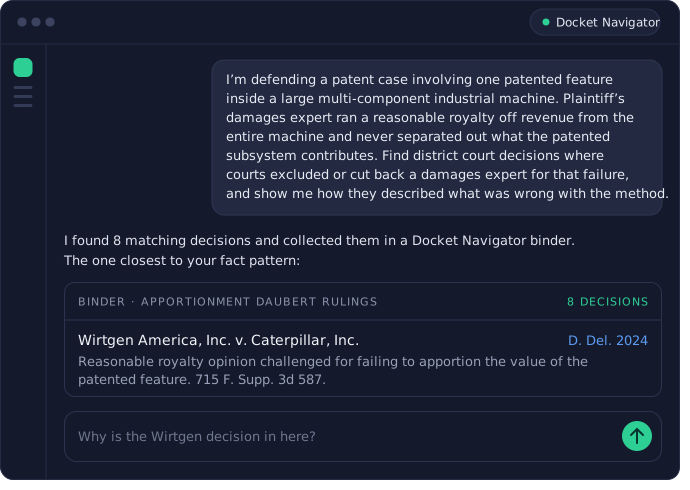
Find decisions by describing the research problem
Describe the factual, legal, and procedural pattern you are researching, including the issue, motion, outcome, court, judge, or time period that matters.
Your AI provider platform can translate the request into Docket Navigator’s structured patent litigation data and retrieve matching decisions with annotations, citations, and links to the underlying sources. Ask follow-up questions to understand why decisions match, compare rulings that reached different outcomes, and save the research to a Docket Navigator binder when you are ready.
HEARING PREPARATION
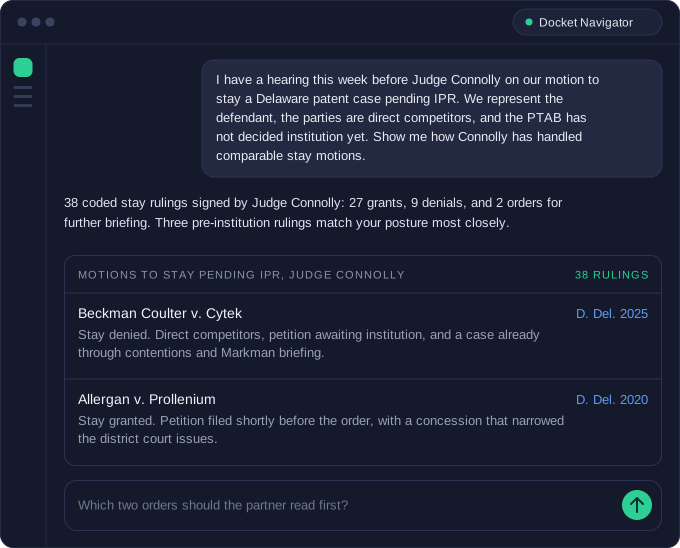
The judge’s record, organized around your hearing
A hearing on the calendar turns into one question: how has this judge handled this motion, and which orders should the arguing attorney read first. Ask the connector and it returns the judge’s coded ruling history, the decisions that match your posture, and the facts that separated the grants from the denials. Every ruling links back to the order it came from.
JUDGE AND COURT INTELLIGENCE
See what a judge or court actually does
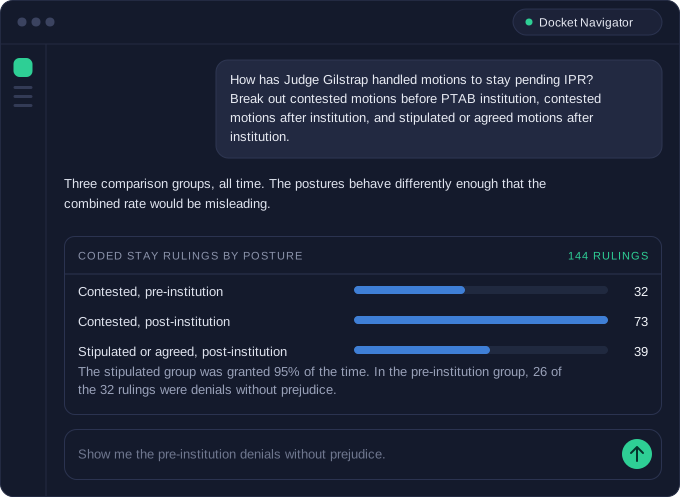
Ask about experience with patent cases, motion grant rates by type, timing to claim construction and trial, prior constructions, or remedies awarded. Answers come back with the denominator attached and the coded decisions behind them, so a percentage can be opened and inspected. Comparisons render as charts, and any view can become a standing alert without leaving the conversation.
OPPONENT TRACK RECORD
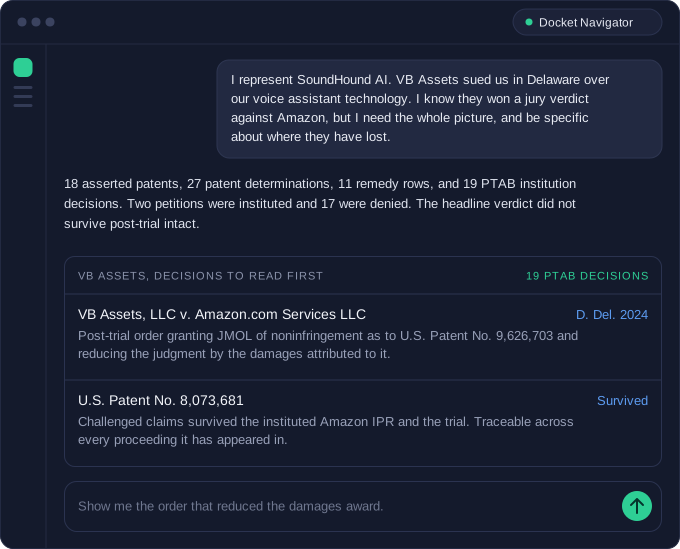
Follow a party, firm, or attorney across every case
Track an opposing party, a law firm, or an individual attorney across their full record: where they appear, which patents they assert or challenge, what the courts and the PTAB decided, what was awarded, and how their cases resolve. The record is built from order-level data, so it shows what courts decided in those matters and links each finding to the order behind it.
CLIENT DEVELOPMENT
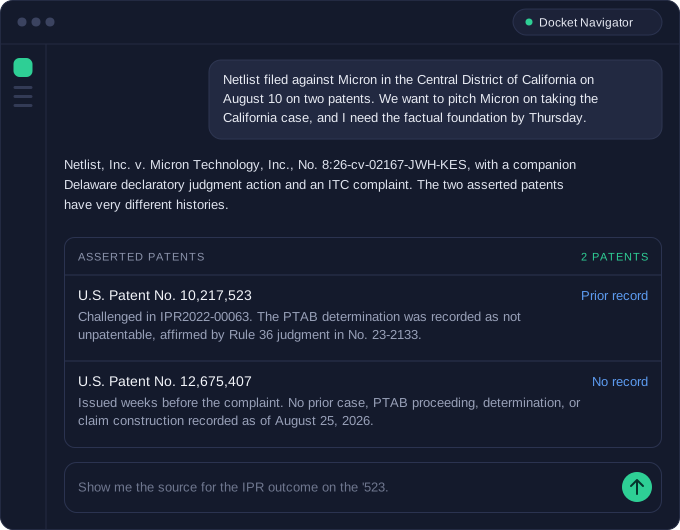
Build the pitch the day the case is filed
A new complaint against a company you want to represent starts a short clock. Ask for the pitch foundation and the connector assembles it: the case, the history of each asserted patent across the district courts and the PTAB, related proceedings, party history, and the assigned judge’s record. Each fact carries its Docket Navigator source, so the memo can be checked line by line before it reaches the client.
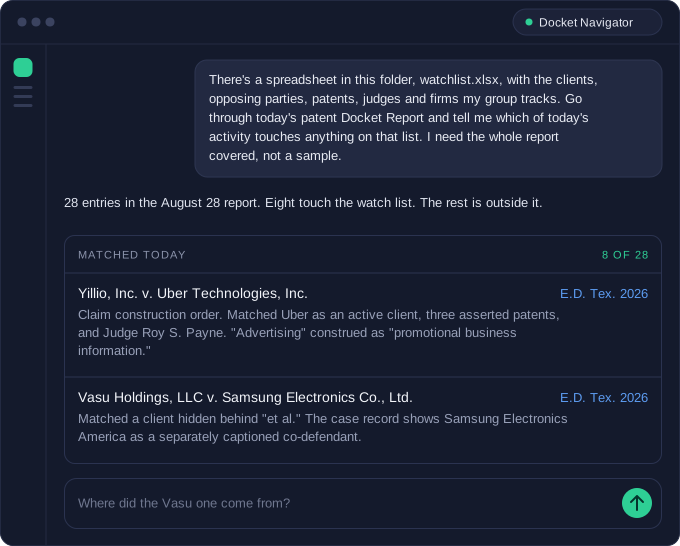
DOCKET REPORT DIGEST
The day’s filings, filtered to your matters
The Docket Report lands every morning with new filings, significant decisions, PTAB petitions, and ITC activity. Give the connector your watch list of clients, matters, patents, judges, and firms, and ask it to read the report against that list. It covers the full report, explains which row caused each match, and links back to the source. On the days something matters, move straight into a pitch or a track record.
COVERAGE
One connection to every Docket Navigator library you subscribe to.
The same connection reaches every Docket Navigator library your group subscribes to. Ask across one of them or all of them, and the answer comes back cited to the order in each.
Your existing permissions apply. Results are limited to the libraries included in your organization’s subscription.
SPEED AND CONTROL
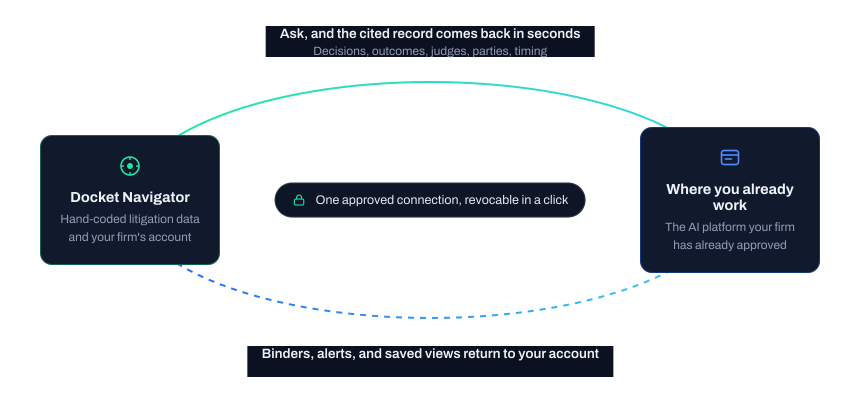
The data comes to you, through a connection your firm controls
Answers arrive in the workspace your team already uses, and the binders, alerts, and saved views you create there land back in your Docket Navigator account.